
Why flat images are hard to edit
When you export a flyer, a slide or a social graphic, every letter is merged into the picture. To change one word the traditional way, you’d paint over it, guess the font, type new text and nudge its size, color and spacing until it stops looking pasted on.
Qutu skips that: it detects the text, works out how it was drawn, and re-renders your new words in place.
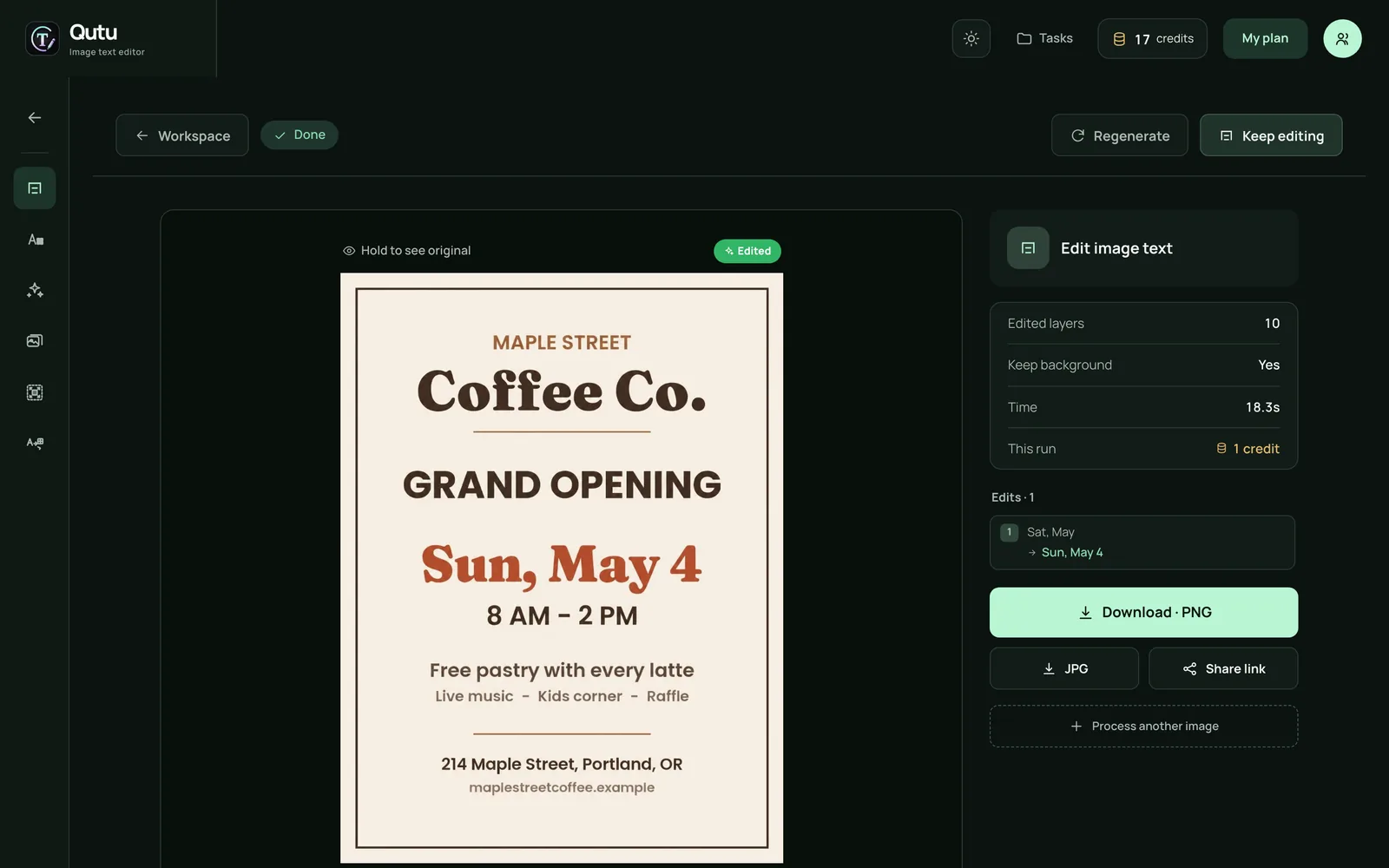
Example: updating the date on a flyer


Only the date changed. The serif typeface, the rust color and the spacing match the original.
Step by step
- Open Qutu Web in your browser (or the Qutu app on iPhone) and upload the PNG or JPG.
- Qutu outlines every block of text. Select the line you want to change.
- Type the new wording in Replace with.
- Click Generate image and wait a few seconds.
- Hold the result to compare with the original, then download it as PNG or JPG.
Tips
- Keep the new text a similar length to the old one for the most natural spacing.
- Start from the highest-quality export you have — a screenshot of a screenshot loses detail.
- Proofread the result. AI can occasionally misdraw a character; zoom in before you publish.
Use it responsibly
Edit images you created or have permission to change. Don’t use Qutu to alter receipts, contracts, IDs or anything presented as proof.