
Why cropping isn’t the answer
The usual quick fix is to crop the stamp out. That works when the digits sit right at the edge, but most cameras printed them a little way in from the corner — so cropping them away also cuts off part of the scene and changes the photo’s shape. Removing the stamp keeps the full frame.


Before and after: the date stamp is gone and the ripples on the water continue naturally.
Remove a date stamp in your browser
- Open Qutu Web and choose Edit image text.
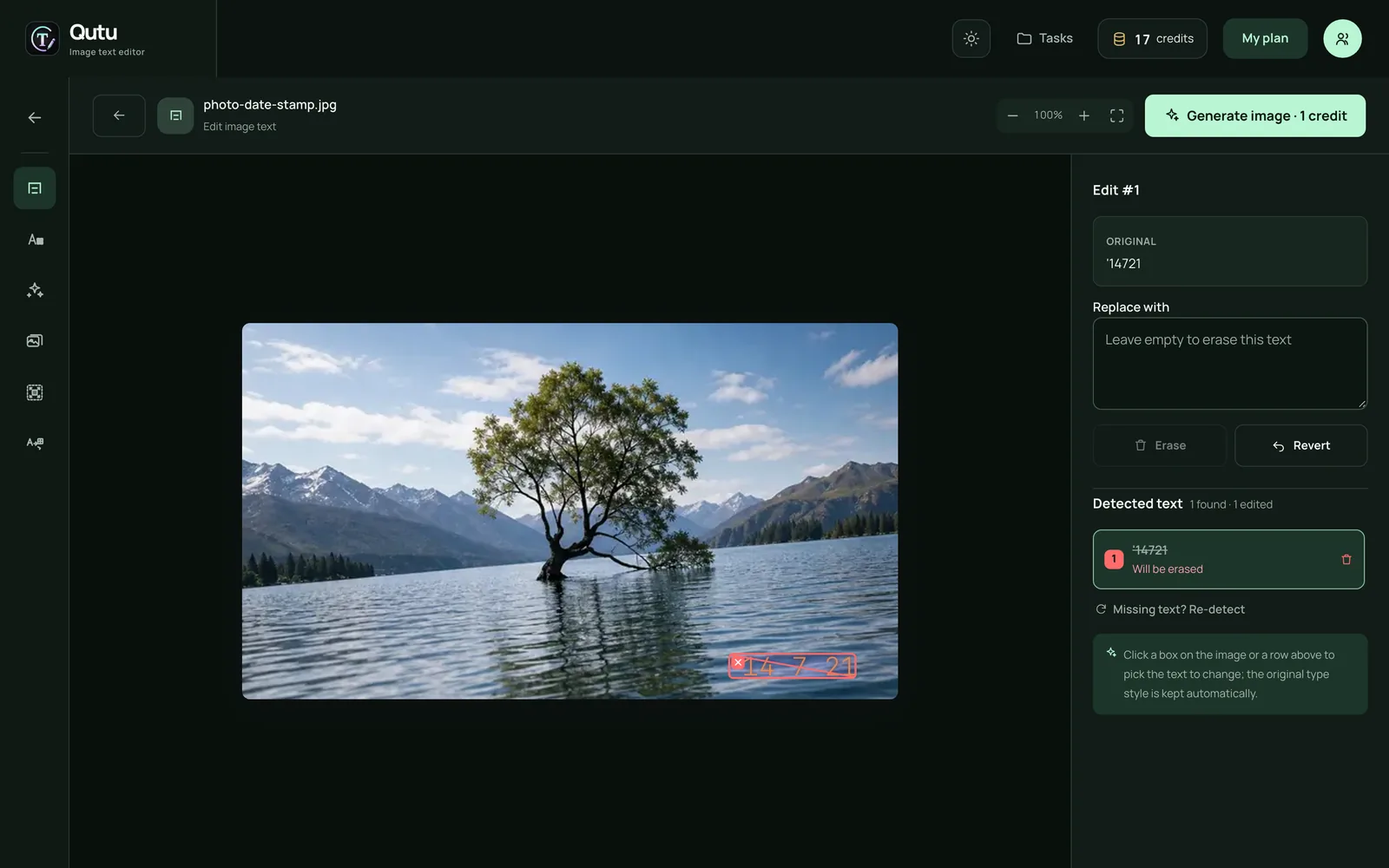
- Upload the photo. Qutu detects the date stamp as a text block and outlines it.
- Select the stamp and click Erase — the row shows Will be erased.
- Click Generate image. Results usually arrive in under half a minute.
- Press and hold the result to compare it with the original, then download it as PNG or JPG.
On iPhone
The Qutu iPhone app works the same way: open the text editor, pick the photo, tap the date stamp, leave the replacement empty to mark it for deletion, confirm, and generate. Then hold the result to compare and save it to your photo library.
Tips for clean results
- Use the original file or a sharp scan. Heavily compressed copies from messaging apps give the AI less detail to rebuild.
- Stamps over busy texture (foliage, crowds) may need a second pass — just run the result through again.
- Faded or scratched prints? Remove the stamp first, then use old photo restoration to repair color and damage.
Use it responsibly
Edit photos you own or have permission to change. Don’t alter dates on photos that are used as evidence or as a record for someone else.