Guides

Remove text from an image online

You don't need Photoshop or an app install to get rid of unwanted text. Qutu Web runs in your browser — upload an image, pick the words, and the AI erases them and repairs what was underneath.

Free to download · Photos auto-deleted in 48h · Updated October 22, 2026

A coffee shop flyer before and after Qutu changed "Sat, May 3" to "Sun, May 4" in the same font and color

How it works

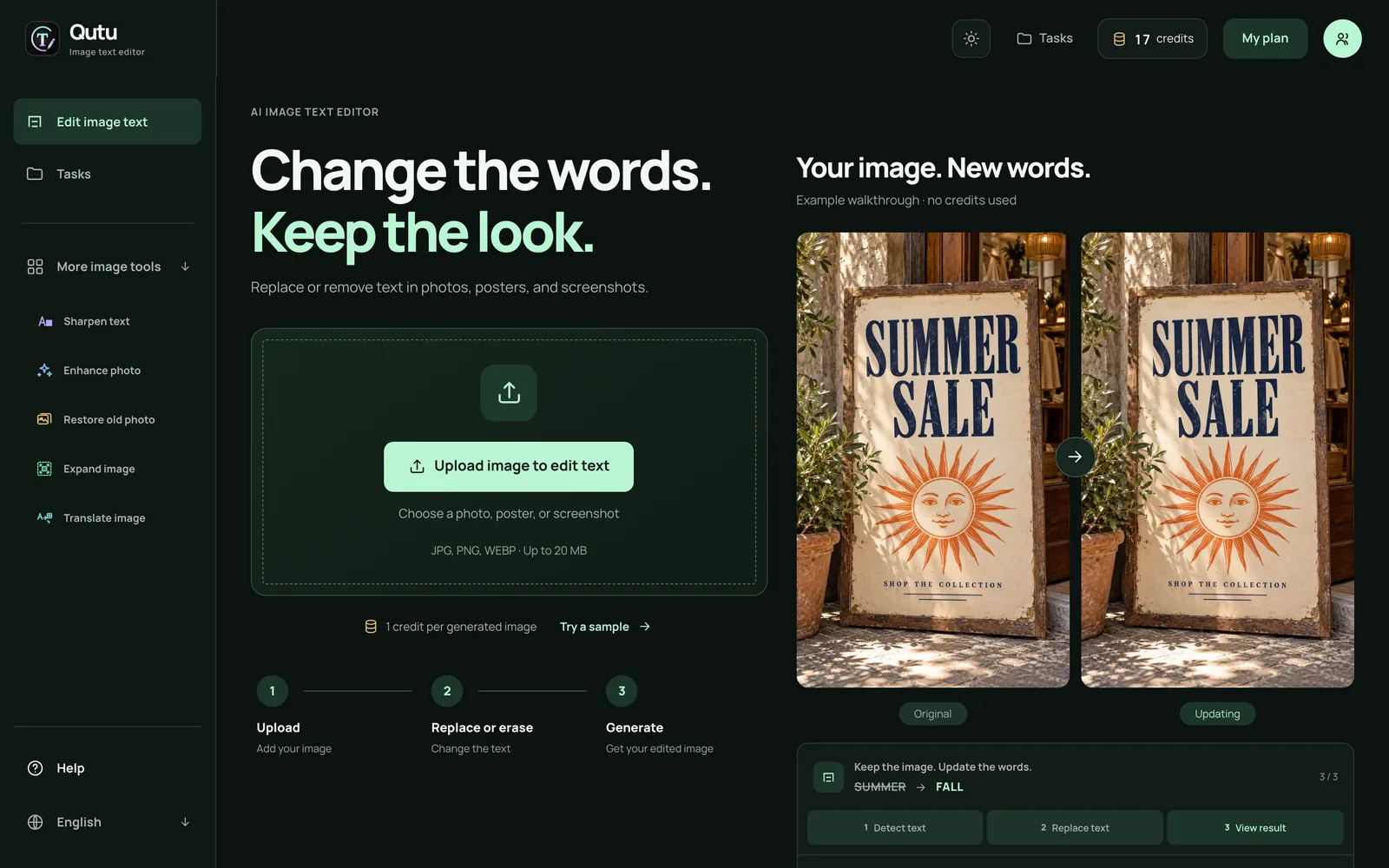
Qutu Web home screen with the "Upload image to edit text" button

  1. Go to Qutu Web and sign in with your email.
  2. Click Upload image to edit text and choose a JPG, PNG or WEBP file.
  3. Qutu detects every block of text and lists it on the right. Click the one you want gone.
  4. Click Erase (or clear the Replace with box). The row changes to Will be erased.
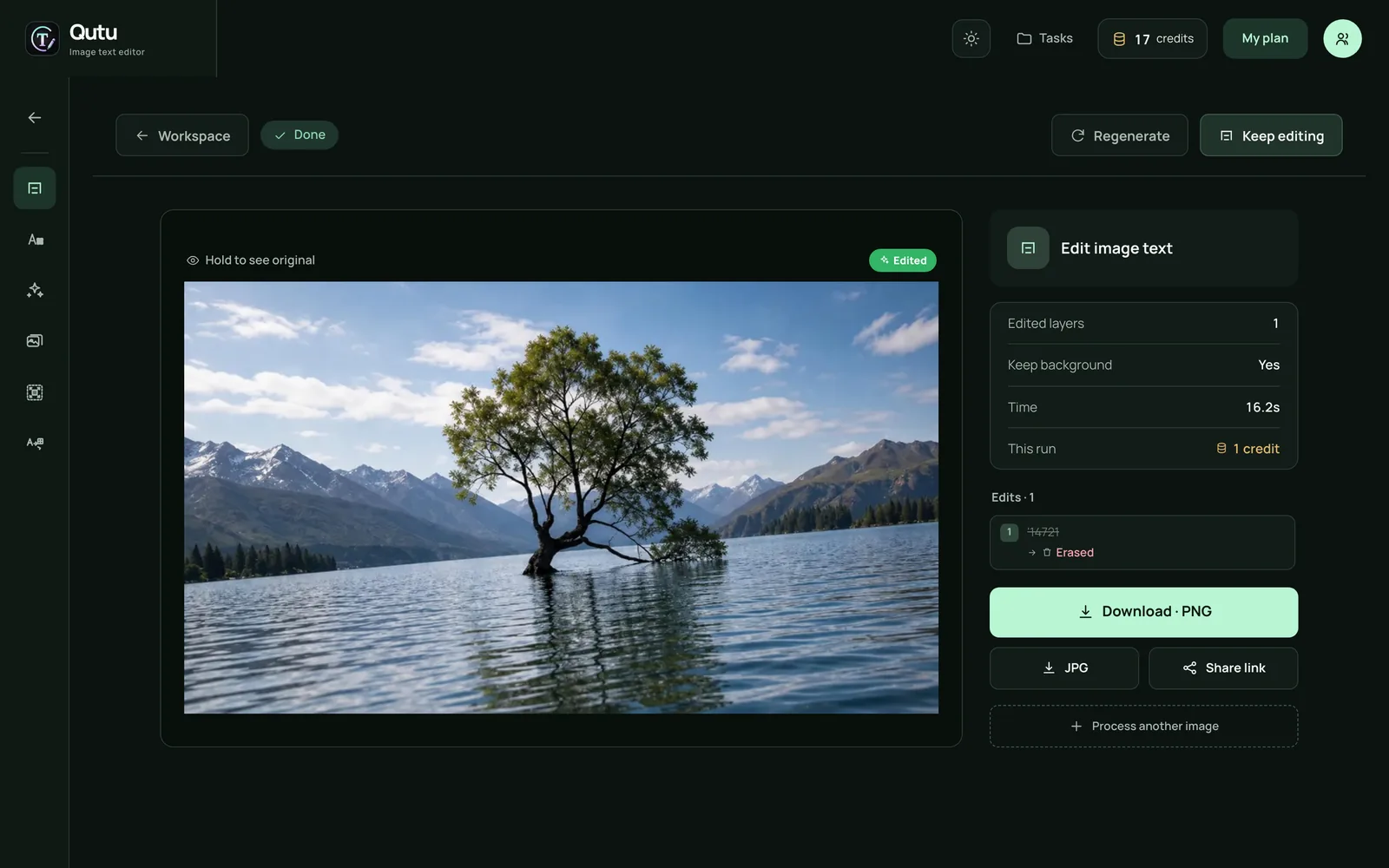
  5. Click Generate image. When it’s done, hold the image to see the original, then download.
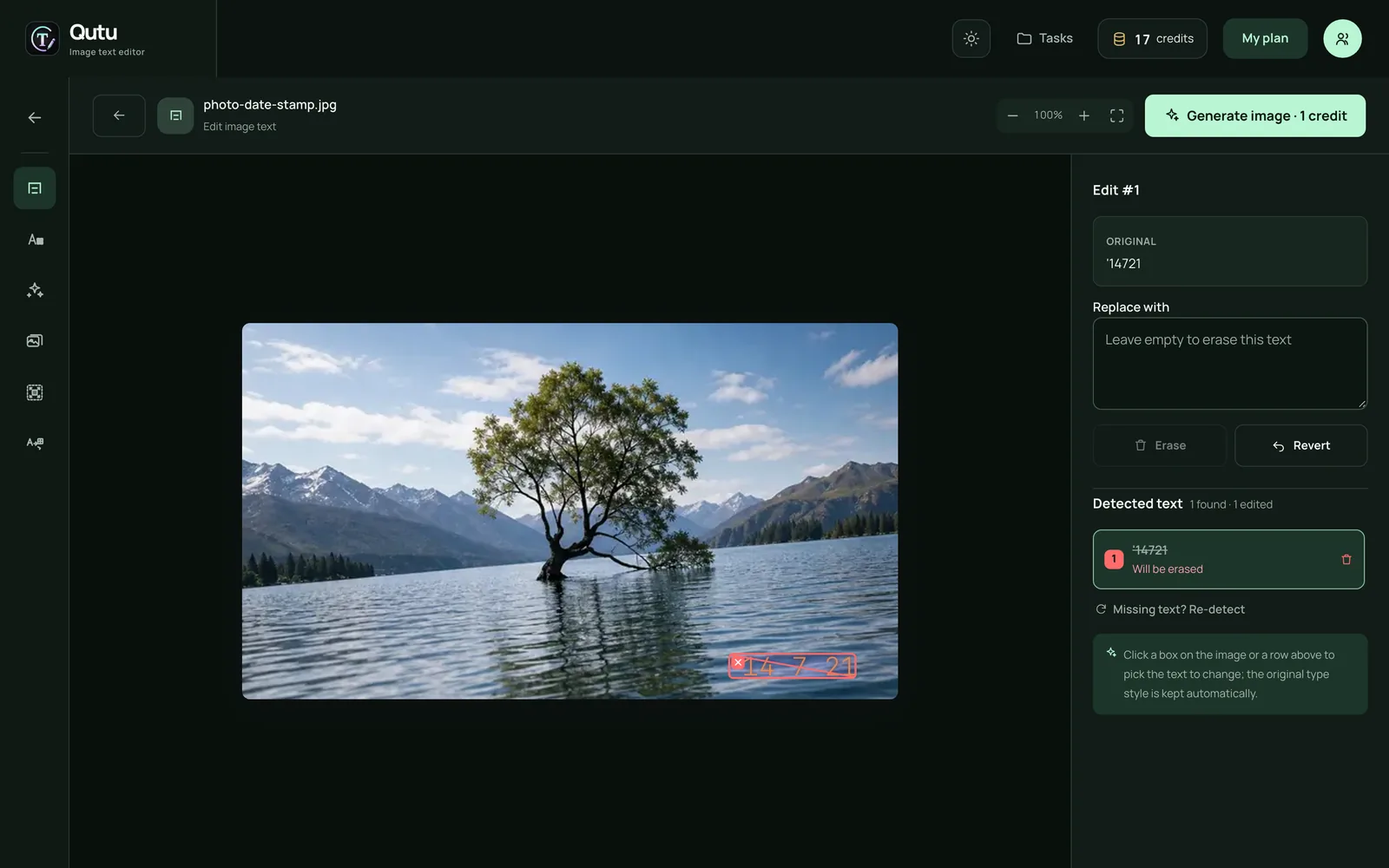
Qutu Web editor: the detected date stamp is selected and marked to be erased

Qutu Web result page showing the cleaned photo with download options

Erase or replace — same tool

Removal and replacement live in one editor. Leave the box empty to erase, or type new words and Qutu redraws them in the original font, size and color. You can mix both in a single image — erase a caption, fix a typo and update a price in one run.

What it’s good at

  • Captions and labels on your own images and mockups
  • Date stamps on old photos
  • Notes and handwriting on a page you want to share clean
  • Prices and promo text on your own product photos

When to use the iPhone app instead

If the photo is already on your phone, the Qutu iPhone app saves a step — edit and save straight to your photo library. Both use the same AI.

Use it responsibly

Only edit images you own or have the right to change. Don’t remove watermarks from other people’s work, and don’t alter documents, receipts or messages.

Frequently asked questions

Do I need to install anything?

No. Qutu Web works in any modern desktop or mobile browser. You sign in with your email so your results and credits are saved to your account.

Is it really free?

New accounts get their first edit free. More edits come with a Qutu Pro membership.

Which file types are supported?

JPG, PNG and WEBP images up to 20 MB.

What happens to my uploads?

Images are processed to create your result and automatically deleted from our servers within 48 hours.

Change the words. Keep the photo.

Qutu matches the original font, color and background, so your edit looks like it was always there.